Are Host and IP Addresses the same?
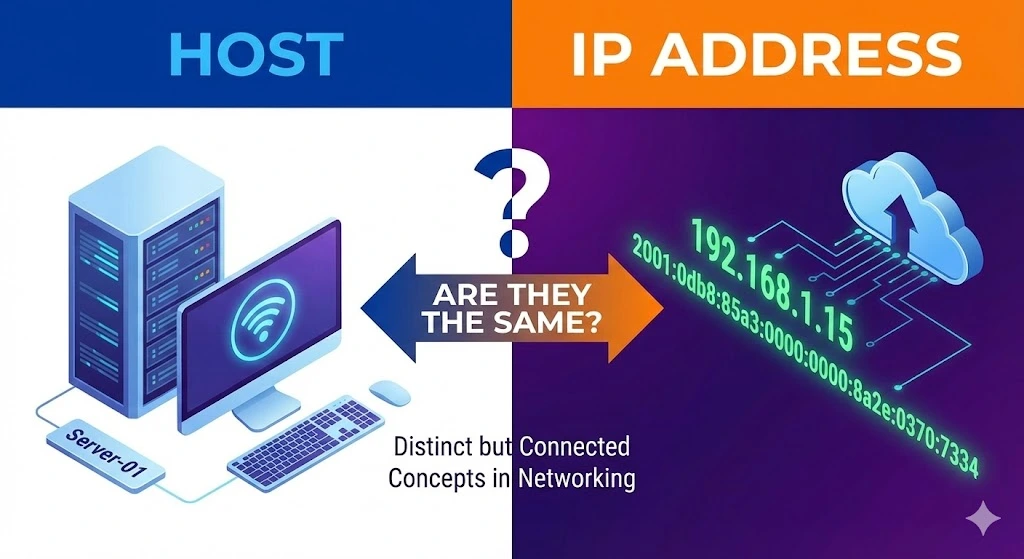
When learning the complexities of networking, you might encounter terms like “host” and “IP address” used frequently. These terms are fundamental to how devices communicate over the internet. While they are related, host and IP addresses are not the same. This article aims to clarify the differences and relationships between a host and an IP address, providing a comprehensive understanding of each term and their roles in network communication.
Table of Contents
ToggleWhat are IP Addresses?
IP Address (Internet Protocol Address) is a unique identifier assigned to each device connected to a network that uses the Internet Protocol for communication. Think of an IP address as a digital address that helps to locate and identify devices on a network. IP addresses are crucial for routing and delivering data to the correct destination.
Types of IP Addresses
IPv4 Addresses
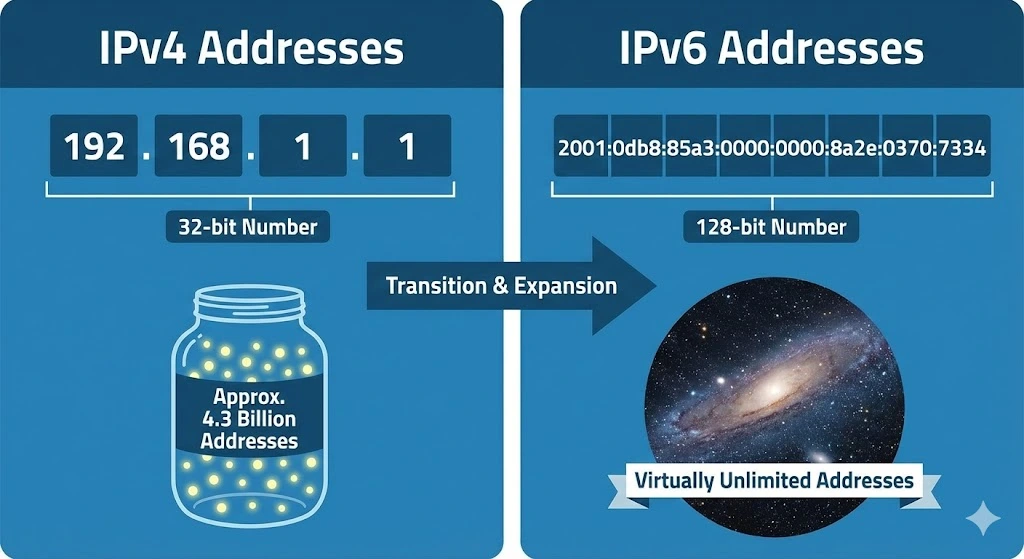
These are the most commonly used IP addresses, consisting of four sets of numbers separated by periods (e.g., 192.168.1.1). IPv4 addresses are 32-bit numbers, allowing for approximately 4.3 billion unique addresses.
IPv6 Addresses
Due to the exhaustion of IPv4 addresses, IPv6 was introduced. An IPv6 address is 128 bits long, written as eight groups of four hexadecimal digits separated by colons (e.g., 2001:0db8:85a3:0000:0000:8a2e:0370:7334). IPv6 supports a virtually unlimited number of unique addresses.
Understanding Hosts
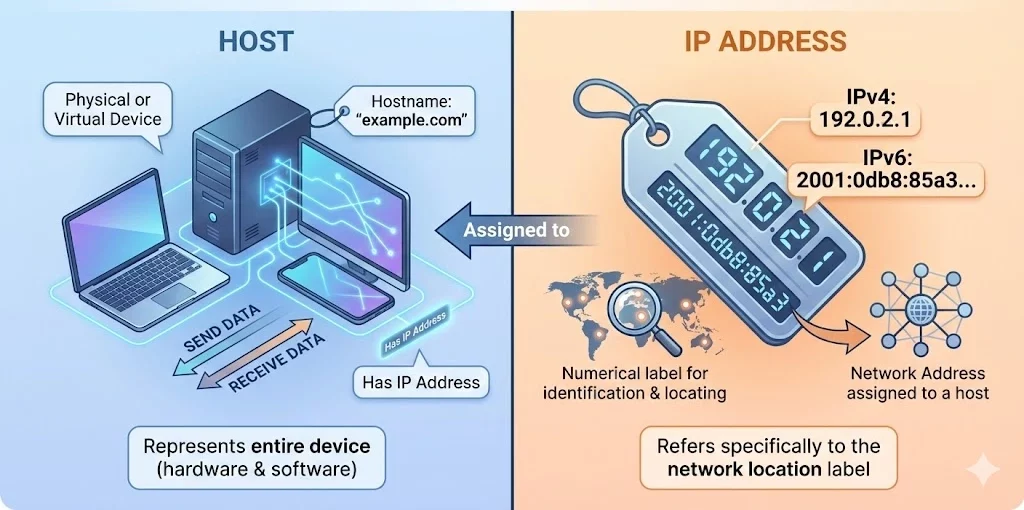
Host refers to any device connected to a network that can send and receive data. This includes computers, servers, smartphones, and other connected devices. Each host on a network requires a unique IP address to communicate with other hosts.
A host is more than just an IP address; it encompasses the entire device, including its hardware, software, and network interfaces. Hosts can be identified by their IP addresses, but they also have additional identifying information such as hostnames.
Hostnames and Domain Names
While IP addresses are numerical, hostnames are human-readable names assigned to devices. Hostnames make it easier for users to remember and access devices on a network. For example, instead of typing an IP address like 192.0.2.1, users can type a hostname like “example.com.”
Domain Name System (DNS) is the system that translates hostnames into IP addresses. When you enter a hostname into your browser, DNS servers resolve it to the corresponding IP address, allowing your device to connect to the correct host.
Key Differences Between Hosts and IP Addresses
Host: A physical or virtual device on a network (e.g., a computer, server, or smartphone). It Engages in network communication by sending and receiving data. Hosts can be represented by a hostname (e.g., “example.com”) and have an IP address. It represents the entire device, including hardware and software.
IP Address: A numerical label assigned to a host for identification and communication. It serves as an address for locating and identifying a host within a network. It typically has a numerical value (e.g., 192.0.2.1 for IPv4 or 2001:0db8:85a3:0000:0000:8a2e:0370:7334 for IPv6) and refers specifically to the network address assigned to a host.
Practical Example
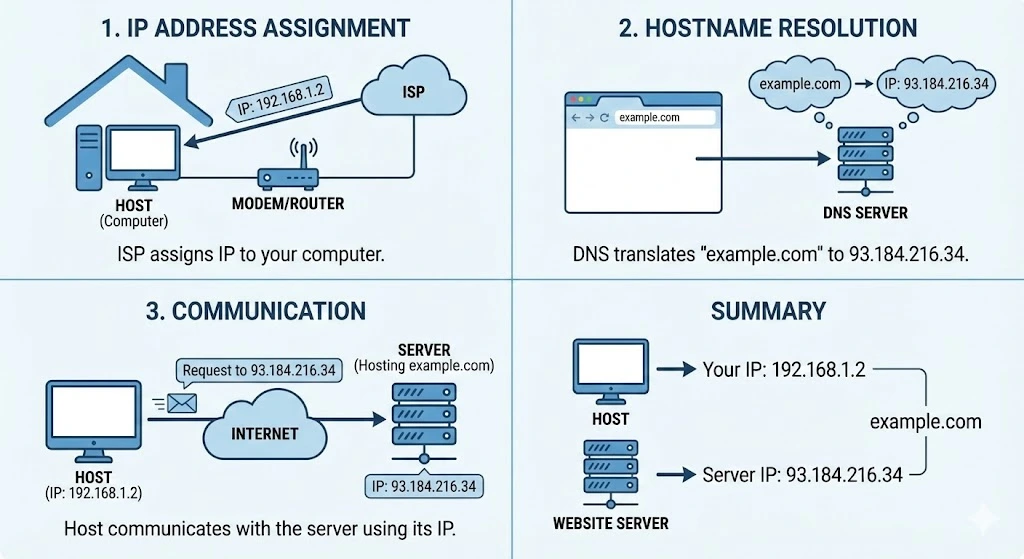
Consider a scenario where you have a computer connected to a home network. This computer (host) needs to access a website.
Here’s how it works:
IP Address Assignment: Your internet service provider (ISP) assigns an IP address to your computer, such as 192.168.1.2.
Hostname Resolution: You type “example.com” into your web browser. DNS translates this hostname to its IP address, say 93.184.216.34.
Communication: Your computer (host) uses its IP address to communicate with the server hosting “example.com” by requesting 93.184.216.34.
In this example, the computer is the host, and 192.168.1.2 is its IP address. The hostname “example.com” is resolved to the IP address 93.184.216.34, which identifies the website hosting server.
In summary, while hosts and IP addresses are closely related, they are not the same. An IP address is a unique identifier for a host on a network, enabling communication between devices. A host encompasses the entire device, including its hardware, software, and network interfaces, and can be identified by an IP address and a hostname. Understanding these distinctions is crucial for anyone involved in networking and Internet communications.
Trusted IPv4 Leasing for Business Growth
Get enterprise-grade IPv4 space quickly, with seamless deployment and end-to-end management.
FAQs
Yes. A single host (like a web server or a computer) can be assigned multiple IP addresses. This is common for servers hosting multiple websites or devices connected to multiple networks
Not necessarily. While most IP addresses are assigned to hosts (devices), some are used for network functions, such as Broadcast addresses (used to send data to all devices on a network) or Network addresses (used to identify the network itself), which do not represent a specific single host.
They are related but distinct. A Hostname is the name of a specific device (e.g., server1), while a Domain Name identifies the larger network or entity (e.g., google.com). A Fully Qualified Domain Name (FQDN) combines them (e.g., server1.google.com) to precisely locate a host on the internet.
Buying IPv4 addresses outside proper IP Allocation channels exposes organisations to fraud, legal disputes, operational failures and long-term governance risks.Key Read more
Facing IPv4 shortages, companies must weigh cost, speed, and network growth when choosing a lease plan.Short-term leasing lets you scale Read more
IPv4 地址曾经只是互联网运行所需的基础资源。但在今天,它越来越像一种具有市场价格、可交易、可租赁的数字资产。造成这一变化的原因并不复杂:IPv4 的总量有限,而全球互联网对 IPv4 的需求并没有消失;与此同时,IPv6 虽然早已出现,但迁移进度依然缓慢。这三股力量叠加,正在重新塑造运营商对 IP 地址的看法,也改变了互联网基础设施的经济逻辑。原文将这点概括为“有限供给、持续需求与缓慢转型”,并指出这正在推动 IP 地址成为影响全球电信经济的可交易资产。 IPv4 稀缺并不是新问题 全球互联网至今仍大量依赖 IPv4。这个协议诞生于更早的时代,只能提供大约 43 亿个地址。这个数量在互联网初期似乎足够庞大,但在今天已经明显不够。原文指出,IANA 在 2011 年就已将最后一批大型 IPv4 Read more